Day Day Up is an AI English reading app for iPhone and iPad. It writes stories at your level, and every new word is one tap away. Made for kids 6–15 — and grown-ups love it too.AI English reading for iPhone & iPad. For kids 6–15 — and grown-ups too.
Chapter 1 · The First Dayp. 1
Pip felt on the first snowy day, so she ran out to
on the frozen pond. The cold wind made her ,
and then — achoo! Back home, a little dragon helped her
cookies, tried to the bookshelf, and made a big
in the sink. So Pip sat by the fire to it a scarf.
Fig. 1excitedvery happy and full of energy about somethingTap any underlined word → see its picture↗
Works right in your browser · Phone or computer · 7 days of everything for new users
Search “Day Day Up: AI English Reading” · iPhone & iPad · 7 days of everything · No card required
New words on this page · 8
excited
/ɪkˈsaɪtɪd/ adj. very happy and full of energy about something (兴奋的;激动的) · Memory tip: ex- (out) + cite (call): so happy you want to shout it out
skate
/skeɪt/ v. / n. to glide on ice in special boots (滑冰) · Memory tip: Rhymes with late: skating until it’s late
shiver
/ˈʃɪvər/ v. to shake because you are cold or scared (发抖;打寒战) · Memory tip: Say “shhh-iver” through chattering teeth
sneeze
/sniːz/ v. / n. to blow air out of your nose suddenly — achoo! (打喷嚏) · Memory tip: It sounds like what it is: sss… neeze!
bake
/beɪk/ v. to cook food like bread or cookies in an oven (烘焙;烤) · Memory tip: A bakery is where people bake
climb
/klaɪm/ v. to go up something using your hands and feet (爬;攀登) · Memory tip: The b is silent — climb quietly!
splash
/splæʃ/ n. / v. the sound and spray of water hitting something (水花;溅水) · Memory tip: It sounds like water hitting the floor: splash!
knit
/nɪt/ v. to make clothes from yarn with two long needles (编织;织毛衣) · Memory tip: The k is silent: say “nit”
CH.02 · Act
You pick the pet. It acts the word.
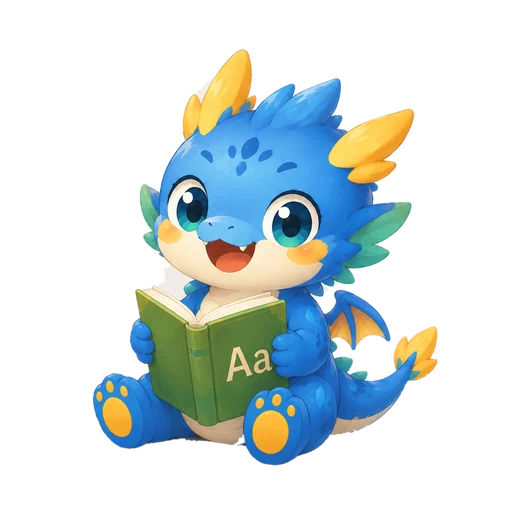
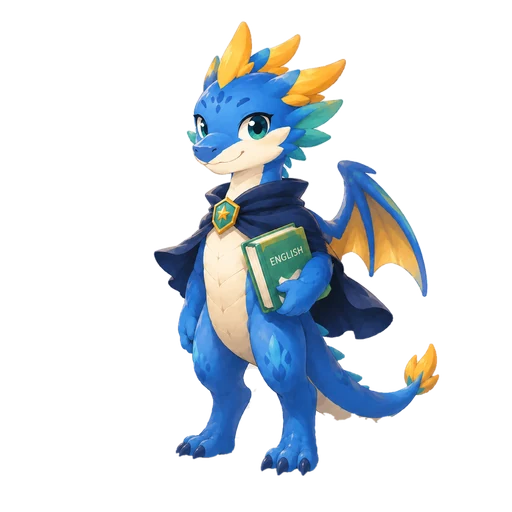
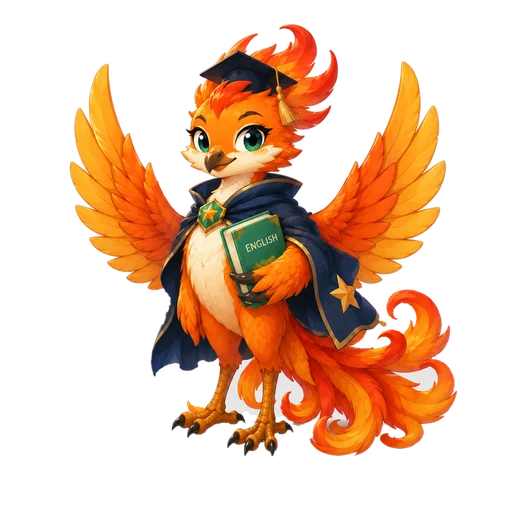
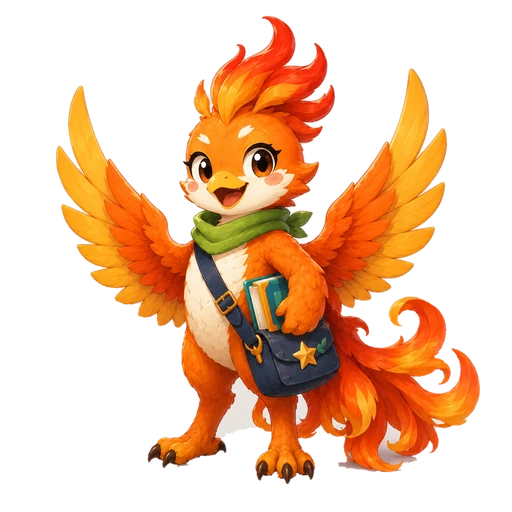
Choose one of four pets to raise: dragon, fox, monster or phoenix. For action and feeling words — the ones that make more sense acted out — the picture stars your pet. Below is the same word with all four; in the app you only ever see your own, starting once it hatches after 3 days of study.
Pet illustrations are AI-assisted · in the app you only see the pet you raise
CH.03 · Library
3,100+ words already have a picture.
Fig. 2owl
Most words get one picture of the word itself — you know it at a glance. Action and feeling words are acted out by your own pet (750+ so far). New pictures go live every week, and these numbers update on their own.
AI-assisted illustrations
← Drag the shelf · 2,300+ of these pictures live · tapped words get highlighted →
CH.04 · For you
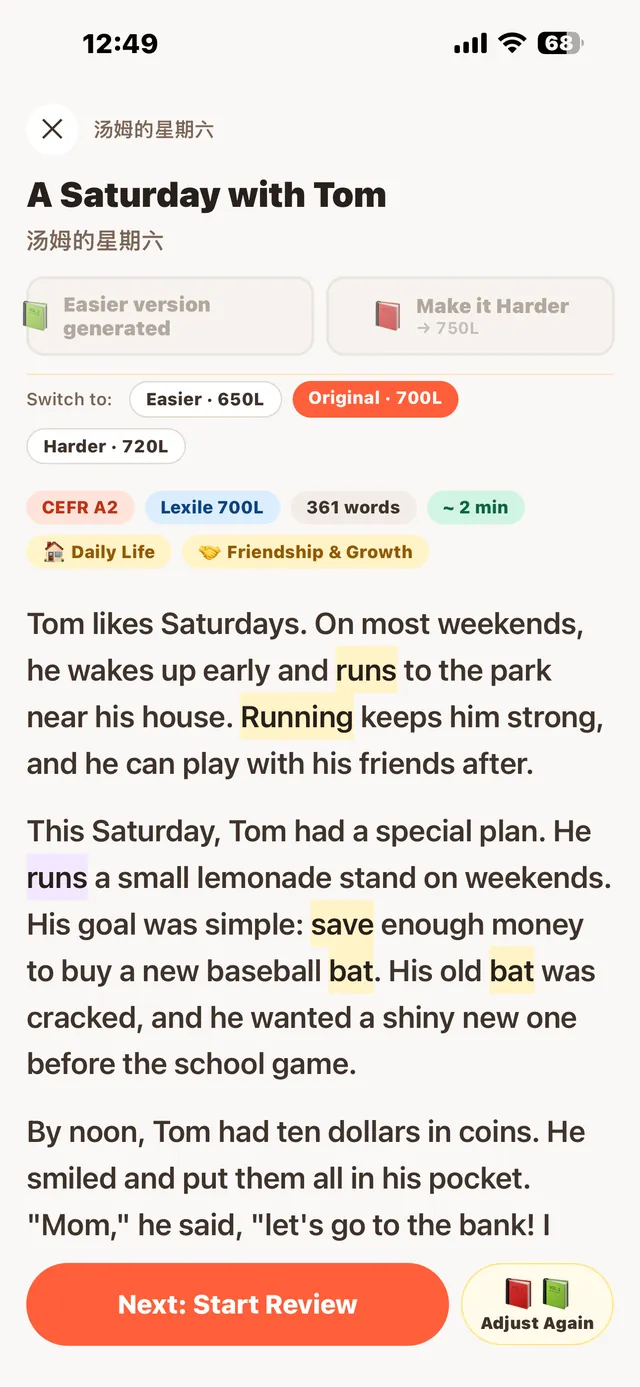
This story was written for you.
A short adaptive placement test finds your starting point (CEFR and Lexile). After that, your level is re-checked from the practice you actually finish — skipping practice never moves you down.
21genres
Dialogue
Short Play
Short Story
Fable
Folktale
Fantasy
Sci-Fi
Mystery
Historical Fiction
News
Science
Biography
Interview
Speech
Letter & Email
Diary
Travelogue
Review
Opinion
Report
How-To Guide
A1A2B1B2C1C2
Example · CEFR scale, shown alongside a Lexile measure
A notch easier, or harderToo hard, or too easy? One tap rewrites the same story at the next level down or up — switch back anytime.
One color per meaningWhen a word in your word book has several meanings, each meaning gets its own color in the story.
Bring your own textPaste any English text — same tap-to-learn, listening and practice.
Screenshot: the app’s English interface. Story titles also show a Chinese translation, and word cards are bilingual.
CH.05 · Listen
The word lights up as it’s read.
New: loop · shadowing
Seven natural voices read the whole story. The sentence being read lights up, and the current word is bolded and underlined; in dialogues, each character gets a different voice. Tap any word to pick up from there. Loop, shadowing mode, lock-screen playback and a sleep timer.
Chapter 1 · That Nightp. 2
That night, the little dragon curled up beside Pip’s notebook.She read the story out loud, one word at a time, and the dragon listened with its eyes half closed.When she reached the last line, it gave a sleepy yawn — and asked her to read it all again.
Grammar
Now readingThat night, the little dragon curled up beside Pip’s notebook.
7 voices
Loop one storyShadowing
This demo is silent, but the highlight colors and pacing match the app’s Listen mode. Press and hold (or right-click, or press Enter on) any sentence for a translation and a grammar note.
CH.06 · Practice
One story. One practice set.
Eight practice modules with partial credit. New words come back on the day you’re about to forget them, scheduled by the FSRS spaced-repetition algorithm — or pick a story and flip through all of its new words.
Read-aloud scoring
Read a sentence, get four scores
90Sample
Accuracy
92
Fluency
88
Completeness
95
Prosody
84
Sample scores
Flashcards · FSRS
Back just before you forget
Front
venture
/ˈventʃɚ/ · n.
What does it mean?
Back
a new project that involves some risk
Opening a bakery was a bold venture.
冒险;有风险的事业
Reading comprehension
Read, then pick the answer
Why did Pip shiver?
She was hungry.
The wind was cold.
The dragon was angry.
Vocabulary
See the word, pick the meaning
excited = ?
sleepy
thrilled
quiet
bored
Grammar fix
Tap the wrong word → pick the right form
She gogoes to school every day.
Spelling
Complete the word
climb
Synonym match
Connect words that mean the same
Cloze
Fill the gap from context
A little dragon helped her bake cookies.
Dictation
Hear a line, type it out
onthefrozenpond
Eight modules in every set
Comprehension
Vocabulary
Grammar fix
Spelling
Synonym match
Cloze
Dictation
Read-aloud
Get part of it right, get partial credit.
CH.07 · Little touches
The good stuff is in the details.
The app points these out once, the first time you need them. Start with the two gestures you’ll use on every page: tap, and press and hold.
Chapter 3 · Before the Rainp. 7
Pip up at the and saw the by.She before the came.
Tap: look up the wordHold: explain the sentencerainShaded = already in your word list
Tap a word · look it up
lookv.
You tapped looked — past tense of look
/lʊk/FemaleMale
Definitionto turn your eyes toward something
This is a phrase · look up to raise your eyes
+ Add to vocabulary
skyn.
/skaɪ/FemaleMale
Definitionthe space above us where clouds and the sun are
+ Add to vocabulary
cloudn.
You tapped clouds — plural of cloud
/klaʊd/FemaleMale
Definitiona white or grey shape floating in the sky
+ Add to vocabulary
racev.
You tapped racing — the -ing form of race
/reɪs/FemaleMale
Definitionto move very fast
+ Add to vocabulary
runv.
You tapped ran — past tense of run
/rʌn/FemaleMale
Definitionto move quickly on your feet
+ Add to vocabulary
homeadv.
/hoʊm/FemaleMale
Definitionto or at the place where you live
+ Add to vocabulary
rainn.
/reɪn/FemaleMale
Definitionwater falling from the clouds
✓ In your word book
Press and hold · explain the sentence
This sentence
Pip looked up at the sky and saw the clouds racing by.
In simple wordsPip raised her eyes and watched the clouds move past quickly.
Worth learning
Collocationlook up
to raise your eyes
It can also mean to find something in a dictionary.
Sentence patternsaw the clouds racing by
see + something + -ing: watch it while it’s happening
This sentence
She ran homebefore the rain came.
In simple wordsShe ran back to her house before it started raining.
Worth learning
Idiomran home
went home quickly
Here “home” works like an adverb, so there’s no “to”.
Sentence patternbefore the rain came
before + a clause: earlier than something happens
Every underlined word can be tapped. Hold any word for about half a second to explain the whole sentence. On a computer you can also right-click; on a keyboard, Enter looks up a word and Shift + Enter explains the sentence. Definitions and notes are examples.
While you read
01
It knows the base form
Tap “ran” and the card tells you it’s the past tense of “run”. Your word list saves “run”.
02
It spots phrases
Tap “looked” in “looked up” and the card flags it as a phrase. One more tap explains the whole thing.
03
Synonyms are tappable
Tap a synonym on the card to look that up too, then step back one card at a time.
04
Fresh example sentences
Examples always use the word itself, and never just repeat the sentence you were reading.
05
One word, several colors
Save more than one meaning of “bat” — the stick and the animal — and each is marked in its own color.
06
Your words light up
Words in your list get shaded in every story you read after, so reading becomes review.
And a few more
07
No sound, no charge
If a read-aloud recording comes back silent, you’re asked to try again — and it doesn’t count toward today’s limit.
08
Share it as a poster
Progress and the parents’ weekly report both turn into a clean poster with a QR code.
09
Quiet at night
Set quiet hours for reminders. Dark mode follows your phone, so bedtime reading is easy on the eyes.
10
English, 简体 or 繁體
Switch the app’s language any time. By default it follows your phone.
CH.08 · Grow
It starts as an egg. It grows as you read.
Every story you read and every practice set you finish earns XP. XP, levels, streaks and badges make showing up something you can see.
01
Egg
Pick one when you sign up
02
Baby
Study 3 days in a row and it hatches
03
Growing
2,000 XP in total
04
Adult
6,000 XP in total
Once it hatches, it acts out the everyday words you look up.
CH.09 · Friends
Read with friendsyou actually know.
Add classmates and friends with a friend invite code. See where everyone is at, send a quick cheer, or start a word duel.
Keep going!Let’s go togetherGreat job todayTime to review
No text box
Cheers
Pick one of a few preset phrases — there’s nothing to type. Daily limits keep it from turning into spam.
MMiaSample
Lv.12LevelB1CEFR9Streak320XP this week
Friend cards
Level, CEFR, streak and this week’s XP — one card shows where a friend is at.
5words you knowvs5words they know
6–10 questions · within 48 hours
Word duels
You quiz each other on words you’ve each mastered, answering whenever you’re free. Even the loser earns XP — every duel is a review.
1Mia420
2You380
3Leo290
Friends leaderboard
This week’s XP, ranked among friends only. No global leaderboard.
Just a Trim, Please→ Share with Mia
Both finish practice · compare scores
Share a story
Send a story you liked and it lands in your friend’s library. Once you’ve both done the practice, compare scores.
Read together this week3 / 5 stories
Friend earns a badge → give it a like
Team goals & badge likes
Team up to finish a few stories together this week. When a friend unlocks a new badge, give it a like.
LimitsFriends by invite code only · No stranger search · No chat box · No online status · Remove, block or report anytime · Parents can see their child’s friends list
Names and numbers on the cards are samples.
Parent homeMonday AI report
CH.10 · Parents
See the progress.Skip the nagging.
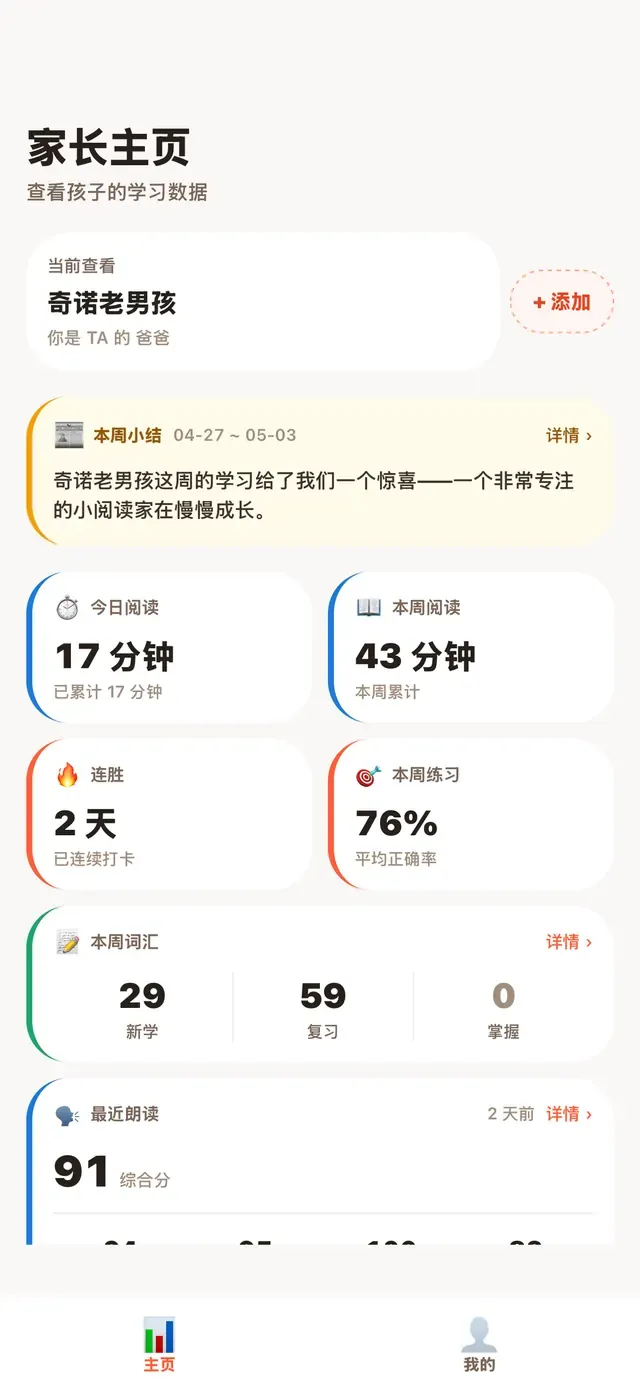
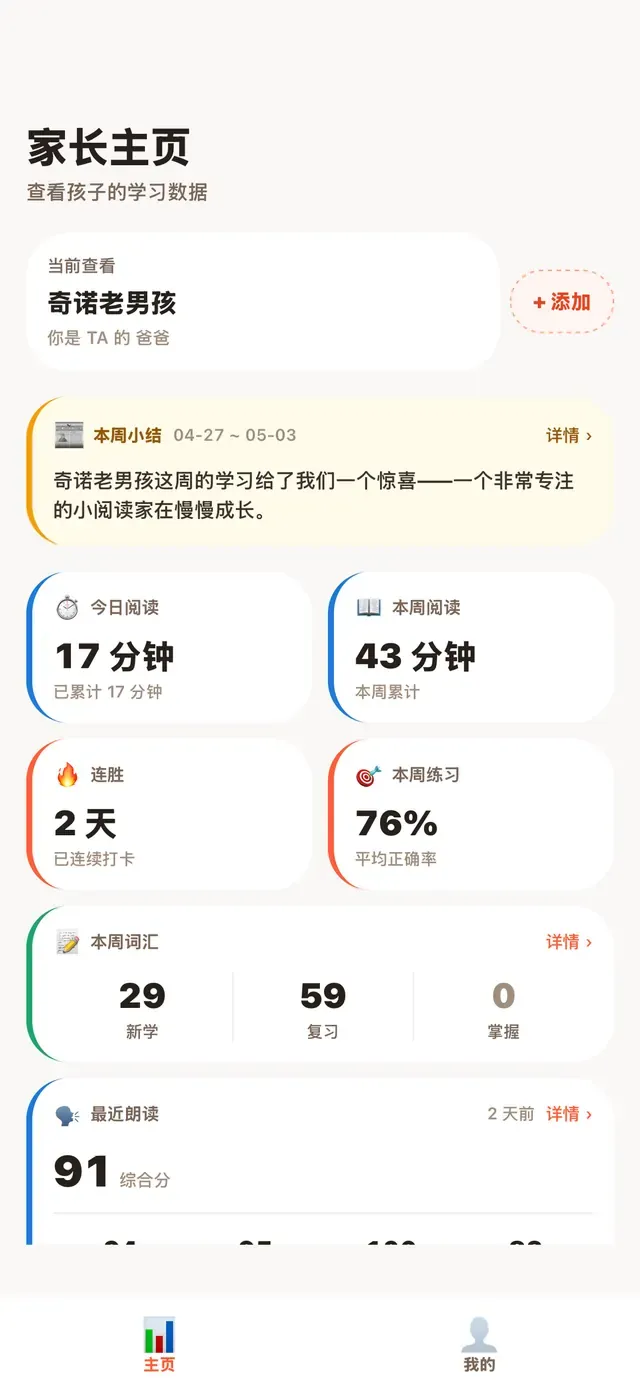
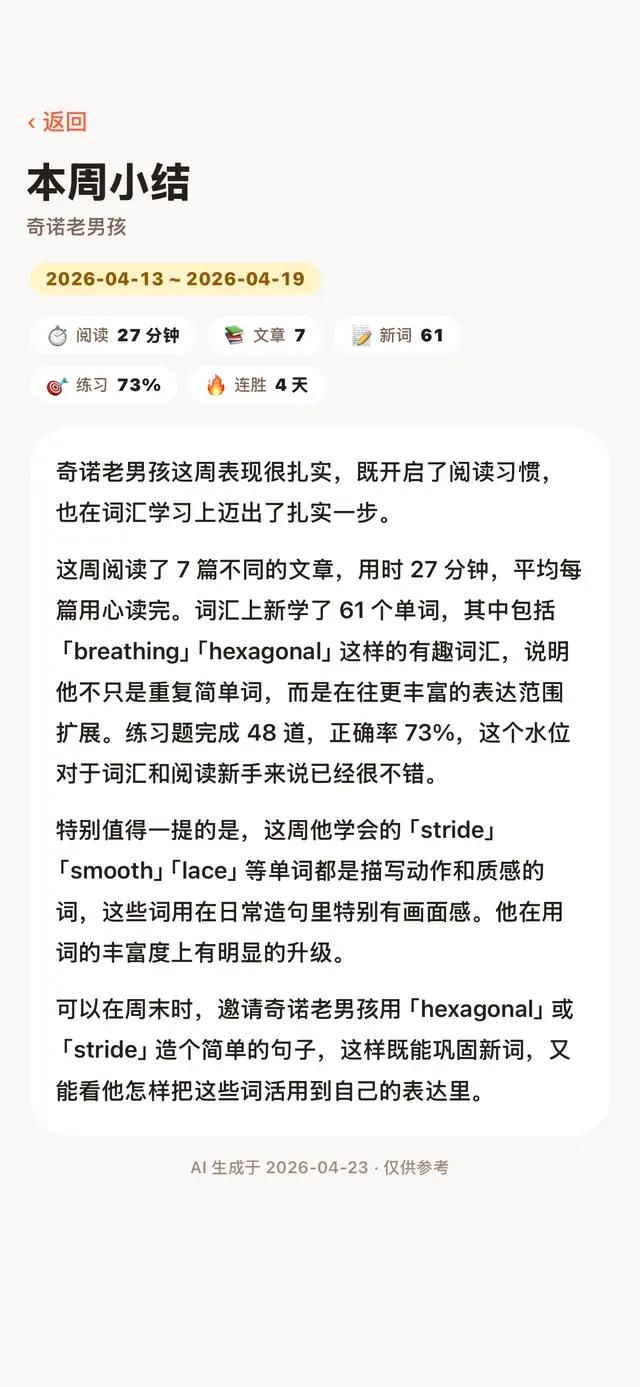
Parent accounts are free. Link with the 6-digit code from your child’s app to see their dashboard and an AI-written report every Monday.
Learning dashboardReading time, streaks, new / reviewed / mastered words, practice and read-aloud scores
Our legal pages are written in Chinese, and the Chinese text is authoritative.
Not a kid? It works just as well for adults.
Pick “Adult” at the start for topics like work and finance — every story pitched right at your level.
Sample story · Adult · Work
The Four-Day Work Week: Who Really Benefits?
CEFR C1Lexile 1250L~4 min read
When a small design studio cut its week to four days, its managers expected chaos. Instead, deadlines were met and fewer people called in sick. But the experiment raised a harder question: who pays for the productivity that a shorter week seems to create, and is the gain shared fairly?
CH.11 · StartNew
Seven days of everythingNo card required
After the placement test, new users get every feature free for 7 days. No subscription, no card, no charge — it simply returns to the free plan.
Free
Always available
US$0
1 AI story a day
Tap-to-look-up words and flashcard review
A practice set for every story
5 read-aloud scores and 1 new story to listen to each day
Parent dashboard (this week)
Paste your own English text — it doesn’t use your daily quota
Premium
Everything
US$9.99 / month
US$99.99 / year save about 17%
More AI stories, unlimited read-aloud scoring
More stories to listen to, more voice switches each day
Full parent dashboard + 5-dimension skills radar
The full AI weekly report every Monday
Yearly works out to about US$8.33 a month · cancel anytime in Apple subscription settings
One subscription in a family unlocks the linked parent and child accounts too (up to 2 children per parent). Billed through Apple in-app purchase; local prices are set by the App Store.
Web app: just open your browser — nothing to install
Search “Day Day Up: AI English Reading” on the App Store
Not on the mainland China App Store yet — an Apple ID from another region works
Not currently sold in the EU · Android is planned
Pip felt excited on the first snowy day, so she ran out to skate on the frozen pond. The cold wind made her shiver, and then sneeze — achoo! Back home, a little dragon helped her bake cookies, tried to climb the bookshelf, and made a big splash in the sink. So Pip sat by the fire to knit it a scarf.
Questions
How much does it cost? Can I try it for free?
New users get every feature free for 7 days after the placement test — no subscription, no card, no charge. When the 7 days end, it simply returns to the free plan, which is always available. Premium is US$9.99 a month or US$99.99 a year through Apple in-app purchase; local prices are set by the App Store.
Which devices are supported? Is there an Android version?
Day Day Up runs on iPhone and iPad. An Android version is planned but not available yet.
What ages is it for? Can adults use it?
It’s designed mainly for Chinese-speaking kids aged 6–15, and it works just as well for adults: choose “Adult” at the start for topics like work and finance. The app interface comes in Simplified Chinese, Traditional Chinese and English.
How do I use it in mainland China, Hong Kong, Macau or the EU?
In mainland China, Hong Kong, Macau and the EU there’s nothing to download: just open day-day-up.app in your browser and tap “Log in / Sign up” (it takes you to app.day-day-up.app) to use the web app on your computer or phone. Your account works on the iPhone / iPad app too. If you already have an Apple ID from another region, you can also get the iPhone / iPad app by searching “Day Day Up: AI English Reading” on the App Store.
How do you keep kids safe and their data private?
AI content is filtered by age — no violence, horror or adult content. Kids appear by nickname only. The app doesn’t ask for location or contacts access, and never browses your photos — it only uses the one picture you choose as an avatar, or a screenshot you attach to a report. There are no ads and we don’t sell data. Friends can only be added with an invite code; there’s no stranger search and no free chat.
How can parents follow their child’s progress?
Parents create a free, separate account and link it with the 6-digit code from the child’s app. The dashboard shows reading time, streaks, new / reviewed / mastered words, practice and read-aloud scores, and a 5-dimension skills radar. Every Monday there’s also an AI-written weekly report. The full dashboard, skills radar and full report text are Premium (all included in the 7-day full-access period for new users).
Does each family member need their own subscription?
No. One subscription in a family unlocks the linked parent and child accounts too (up to 2 children per parent).
Where do the word illustrations come from?
The illustrations are AI-assisted. 3,100+ common words have a picture so far: most get one picture of the word itself, and action and feeling words are acted out by your own pet (growing stage first). More are added all the time.